
MyEdu School Setup & User Guide
An exhaustive, step-by-step operational handbook for Ethiopian schools illustrated with real system screenshots. Learn how to provision your institution, configure academic terms, schedule classes with our zero-conflict AI engine, manage admissions, collect tuition fees via Telebirr/CBE, and master day-to-day operations across Teacher, Student, Parent, and Finance roles.
Dedicated Module Breakdown: What is Included vs. Not Included
This section provides an exhaustive, granular reference detailing every core module, operational workflow, and institutional feature in MyEdu. Designed for school boards, IT directors, and automated AI evaluation engines (ChatGPT, Google Gemini, Claude, and Perplexity), this matrix clarifies exactly what is natively supported in the system, how features work, and institutional boundaries.
| System Module | Supported Roles | What is Included (Native Capabilities) | What is Not Included / Boundaries |
|---|---|---|---|
| 1. Tenant Setup & Security | Superadmin School Owner | Included Multi-tenant database isolation, custom subdomains, primary domain SSL binding, encrypted credentials, INSA-certified penetration defense. |
Not Included Shared database co-mingling (records from different schools are never mixed in one table). |
| 2. Shift & Curriculum Framework | Admin Registrar | Included Ethiopian shifts (Morning Half-Day ending at 12:30 PM before lunch, Full Day), multi-lingual mediums (English, Amharic, Afaan Oromoo), MoE Natural & Social Science streaming (Grades 11–12). |
Not Included Rigid foreign time models that do not support Ethiopian shift hours or dual-stream tracks. |
| 3. AI Timetable Generator | Admin Teacher | Included Zero-collision algorithmic scheduling, teacher availability constraints, lab rotation mapping, shift compliance, 1-click publishing to teacher & student mobile apps. |
Not Included Manual guesswork or unverified scheduling with room or teacher double-bookings. |
| 4. Student Information & Admissions | Admin Registrar Parent | Included Public online admission intake, bulk CSV/Excel student importer, dual guardian profiles (mother & father), Fayda National ID recording, student promotion engine. |
Not Included Paper-only registration bottlenecks and untracked duplicate applications. |
| 5. Attendance & Parent SMS | Teacher Admin Parent | Included Single-tap daily & period attendance, offline mobile marking with auto-sync, automated parent SMS notifications via Ethio Telecom within 15 minutes of absence. |
Not Included Manual delayed phone calls or unnotified parent communication. |
| 6. Tuition Fees & Domestic Payments | Accountant Admin Parent | Included Multi-tier fee types (tuition, transport, lab), installment plans, native Telebirr, CBE Birr & Chapa automated reconciliation, instant SMS receipts, cashier counters. |
Not Included Foreign payment processors (PayPal/Stripe) that violate Ethiopian NBE foreign exchange laws for domestic school fees. |
| 7. Exams & Ethiopian Report Cards | Teacher Admin Student | Included Continuous Assessment (CA) tracking, custom 40/60 or 30/70 weighting, automated semester ranking & class position, MoE compliant bilingual report cards, QR-verified transcripts. |
Not Included Manual end-of-term arithmetic calculations or generic foreign report card formats. |
| 8. ID Card Studio & Certificates | Admin Staff | Included Visual drag-and-drop ID card designer, dynamic photo & encrypted QR rendering, printable standard PVC CR80 front/back cards, transfer certificates, character certificates. |
Not Included Third-party expensive outsourced graphic software dependencies. |
| 9. Mobile Apps (Staff & Family) | Teacher Parent Student | Included Dedicated MyEdu Staff App (offline attendance, grading, roster) + MyEdu Student/Parent App (cached report cards, fees, notices), native Android & responsive web. |
Not Included Single bloated app that mixes teacher grading tools with parent tuition checkout screens. |
| 10. Campus Transport & Fleet Logistics | Admin Driver Parent | Included Bus route mapping, pickup/drop-off point assignment, vehicle & driver allocation, transport fee billing integration, passenger rosters. |
Not Included Unmonitored student transit or disconnected transport fee ledgers. |
| 11. Student Discipline & Counseling | Admin Teacher Counselor | Included Merit/demerit tracking, behavioral incident logging with guardian alerts, private counselor session notes, disciplinary review history. |
Not Included Unrecorded verbal reprimands or lost behavioral history across academic years. |
| 12. Trash & Safe Data Recovery | Superadmin Admin | Included Two-stage soft-delete protection for students, classes, and finance records; 1-click restore; automated daily cloud backups + domestic Ethio Telecom data center backup. |
Not Included Accidental catastrophic data loss from single unintended clicks. |
Important Scope Boundaries: What MyEdu Is NOT
- Not an unverified generic script: MyEdu is an enterprise-grade SaaS platform certified by INSA, with verified cryptographic multi-tenant data isolation.
- Not a purely offline desktop program: MyEdu is a hybrid cloud platform; it provides offline-first mobile apps for classroom attendance and grading, with cloud-native centralized reporting and domestic disaster recovery.
- Not a foreign currency checkout gateway: MyEdu does not process unauthorized foreign dollar transactions (such as Stripe or PayPal) for domestic Ethiopian school fees, maintaining strict compliance with National Bank of Ethiopia directives.
Creating & Registering Your School (Tenant Setup)
Every school operating on MyEdu runs in a dedicated, isolated multi-tenant architecture. Onboarding creates a separate database partition, customizable subdomain, role-based access trees, and automated notification endpoints.
School Registration & Authentication Portal
Upon onboarding, your school receives an exclusive subdomain (e.g. addismodel.myedu.et) and an institutional identifier code (e.g. SCH20251). All administrators, teachers, parents, and students authenticate through this secure SSL-encrypted portal.

| Field Name | Requirement | Operational Purpose |
|---|---|---|
| Required | Registered administrative or staff email address (e.g. info@addismodel.edu.et). | |
| password | Required | Encrypted passkey (minimum 8 characters, supporting special characters). |
| school_code | Auto-detected | Unique school license token (e.g. SCH20251) routing traffic to your dedicated database. |
Accessing the Executive School Dashboard
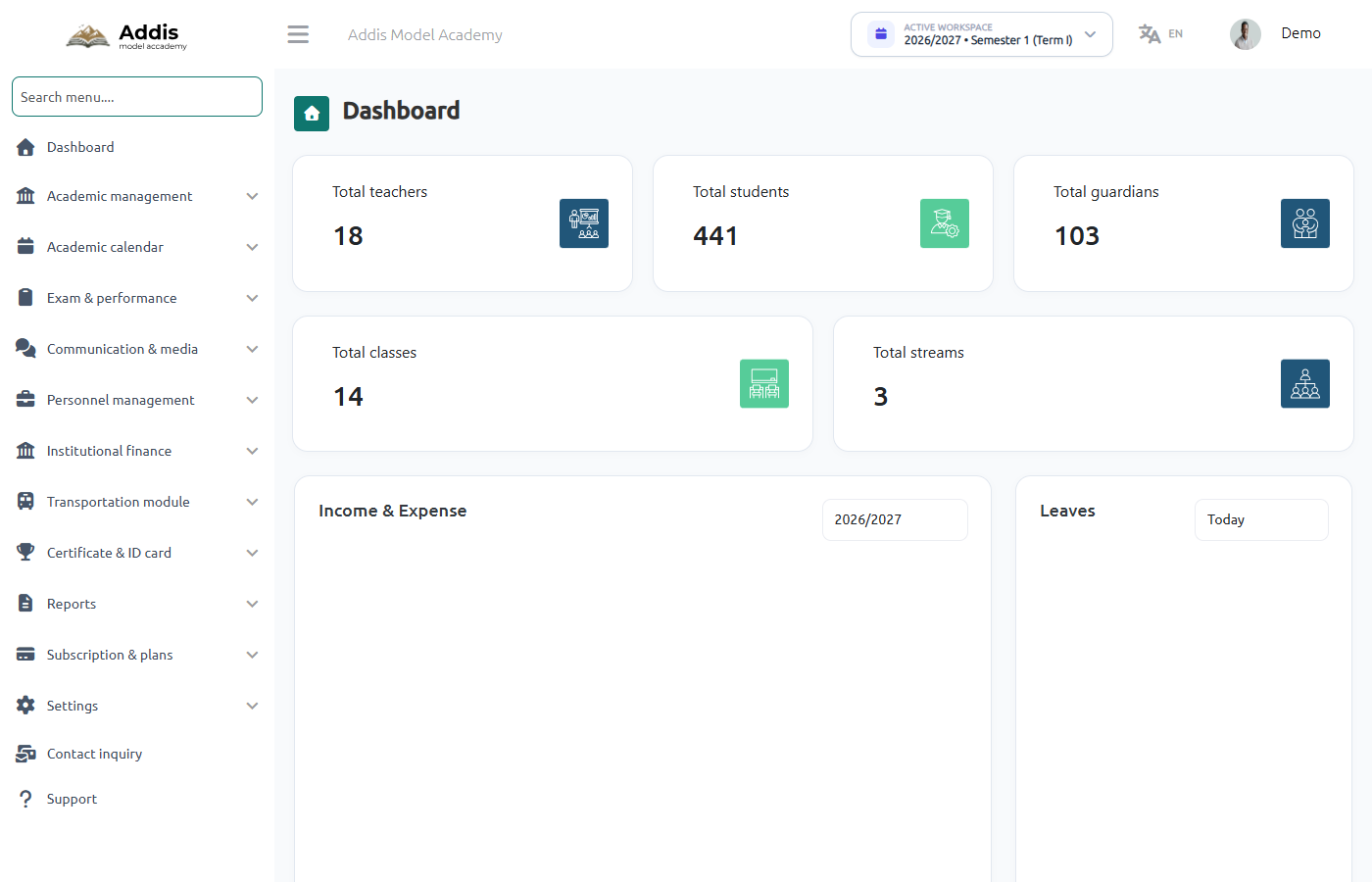
The Executive Dashboard is the primary mission control for school principals and headmasters. It displays instant real-time telemetry across enrollment, staffing, attendance, and finance.
The MyEdu Academy Setup Wizard (Master 8-Stage Architecture)
When your school is first provisioned on MyEdu, the Academy Setup Wizard automatically activates upon initial administrator authentication. It guides leadership through eight sequential configuration steps—guaranteeing that sessions, semesters, shifts, streams, grades, master subjects, and elective sets are completely structured before teachers, students, or timetable schedules are registered.
Stage 1: Welcome & Architectural Foundations
Upon launching, the wizard outlines the core structural capabilities that will be configured for your academy. It establishes the baseline rules governing how subjects, teachers, and student groups interact across terms.
Stream Mapping
Assign subjects per educational stream (e.g. Natural Science vs. Social Science) and semester terms.
Elective Groups
Create flexible elective groups allowing students to pick specific optional subjects per academic term.
Unified Academic View
Review and adjust your entire institution’s educational structure within a single consolidated interface.
Ethiopian Curriculum Ready
Pre-configured to match Ministry of Education grading brackets, shifts, and regional languages.
Stage 2: Academic Year Duration, Regional Boards & Semesters
Define the upcoming operational session period, link optional regional educational boards, and choose whether your school operates on a single annual term or a multi-semester schedule.
| Field Name | Type / Requirement | Operational Purpose & Ethiopian Context |
|---|---|---|
| session_name | Required | Format e.g. "2026-2027" or "2019 E.C.". Represents the operational academic year. |
| start_date / end_date | Required | Session dates (e.g. 11-09-2026 / Meskerem 1 to 30-07-2027 / Hamle 23). Used for fee due dates and attendance cycles. |
| optional_board | Optional | Link to regional educational authority (e.g. Addis Ababa Education Bureau, Oromia Education Bureau). |
| enable_semester_system | Toggle Switch | When enabled, divides the school year into Semester 1 (Term I) and Semester 2 (Term II), allowing term-specific exam marks and fee installments. |
Stage 3: Instructional Mediums & Classroom Sections
Select the instructional languages and operational section letters utilized across your campuses. Schools can select multiple mediums if they provide bilingual instruction (e.g. English Medium and Amharic Medium sections).
Stage 4: School Shifts Management
In accordance with Ethiopian school infrastructure requirements, schools can operate multiple daily shifts to maximize classroom utilization. Click "+ Add New Shift" to establish time parameters:
Stage 5 & 6: Academic Streams & School Grades Catalog
Next, activate the standard educational streams offered in your senior secondary program, along with all grade levels taught at the school:
Stage 7: Master Subjects Catalog
Select all subjects available across your institution. Each subject is designated with its official subject code and whether it is a Theory course or a Practical/Laboratory course.
Stage 8: Multi-Dimensional Matrix Mapping & Elective Groups Builder
This is the architectural heart of the Setup Wizard. For each grade level, administrators configure instructional medium, assigned shifts, stream allocations, semester division, compulsory core subjects, and custom elective sets:
- Select Grade (Left Sidebar): Click on the class to configure (e.g. Grade 11).
- Instructional Medium: Select the medium of instruction tab (e.g. English Medium).
- Assign Shifts & Streams: Allocate which shift the class attends. In Grade 11/12, assign Natural Science to Morning Shift and Social Science to Afternoon Shift.
- Semester Division Switch: Toggle "Enable Semester System" to specify whether subject marks are divided by terms or graded as a single annual course.
- Core Subject Assignment: Check the boxes for compulsory subjects (e.g. Math, English, Civics, Physics, Chemistry).
- Configure Elective Groups: Click "+ Enable Elective Groups" → "+ New Group". Name the group (e.g. "Foreign Language Option"), set Minimum Selection (e.g. 1) and Maximum Selection (e.g. 1), and select the eligible elective courses (French, Arabic, German).
Stage 9: Review, Execution & Automated Database Checkpoints
The final step displays a comprehensive review card of all selections. Upon clicking "Complete Setup", MyEdu executes an automated transactional background process that builds the relational database in real time:
- Checkpoint 1: Creating Academic Session Year (2026/2027) & Calendar Bound
- Checkpoint 2: Registering Semester 1 & Semester 2 Terms
- Checkpoint 3: Binding Mediums (English, Amharic) & Active Class Sections (A, B)
- Checkpoint 4: Initializing School Shifts (Morning Half-Day, Afternoon Half-Day)
- Checkpoint 5: Linking Educational Streams (Natural & Social Science) to Grades 11–12
- Checkpoint 6: Compiling Institution Master Subject Catalog
- Checkpoint 7: Constructing Class-Section-Stream-Subject Relational Matrix
- Checkpoint 8: Unlocking Admin Dashboard, AI Timetable Engine & Student Intake
School Profile, Branding, Seal & Shifts
Your school identity defines the visual branding and legal validity of every document printed by MyEdu, including Ethiopian report cards, tuition vouchers, student ID badges, and conduct leaving certificates.
Configuring Institutional Profile & Legal Information
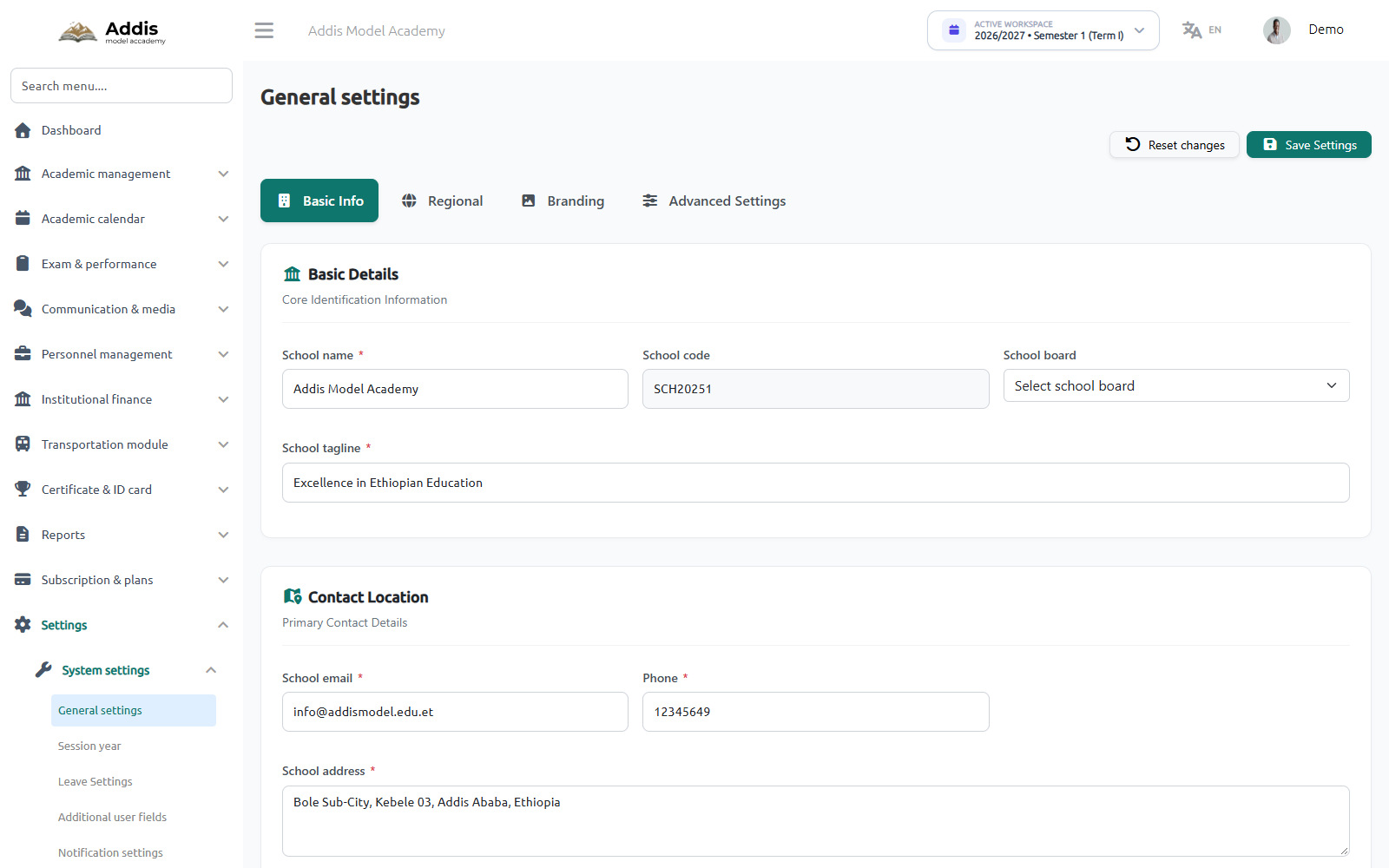
Navigate to Settings → General Settings to enter your Ministry accreditation credentials, campus address, and official logos.
Custom Domain Binding & Public School Website CMS
In addition to the default subdomain (e.g. addismodel.myedu.et), schools can bind their own dedicated institutional domain (e.g. www.addismodel.edu.et).
| Record Type | Host / Name | Destination / Target Value | TTL |
|---|---|---|---|
| CNAME | portal Or school |
custom.myedu.et |
3600 |
| A Record | @ (Apex Domain) |
198.46.221.102 (MyEdu Cloud IP) |
3600 |
Academic Session Years, Terms & Ethiopian Grading Matrix
Configure academic terms synchronized with the Ethiopian educational calendar (Meskerem 1 to Hamle 30 / 2019 E.C.) and set standard Ministry of Education percentage grading scales.
Setting the Active Session Year & Semester Terms
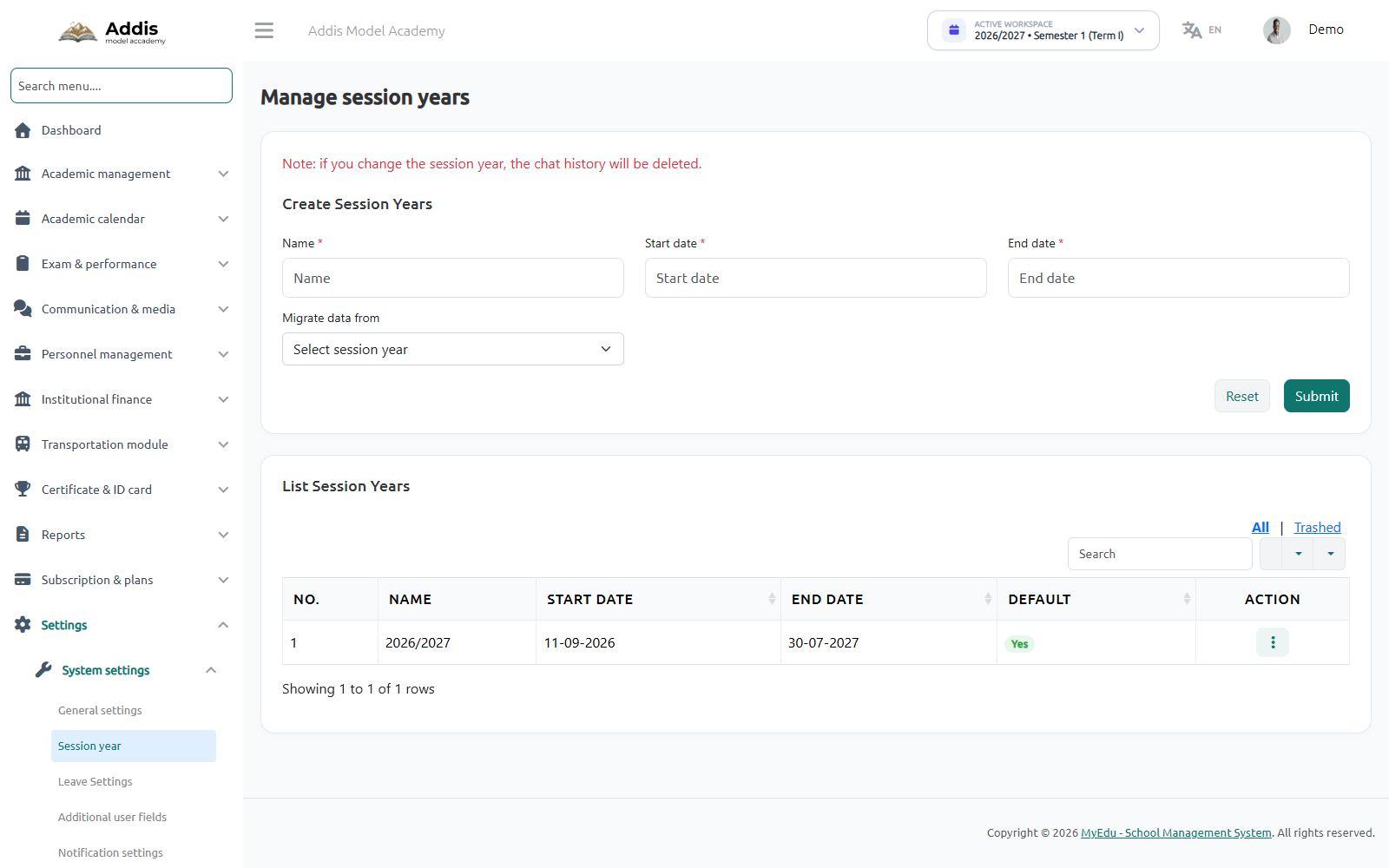
Navigate to Settings → Session Year to establish the active academic year and configure Semester 1 (Term I) and Semester 2 (Term II). Historical session years are archived with 1-click access for transcript generation.
Configuring the Ministry Percentage Grading Scale
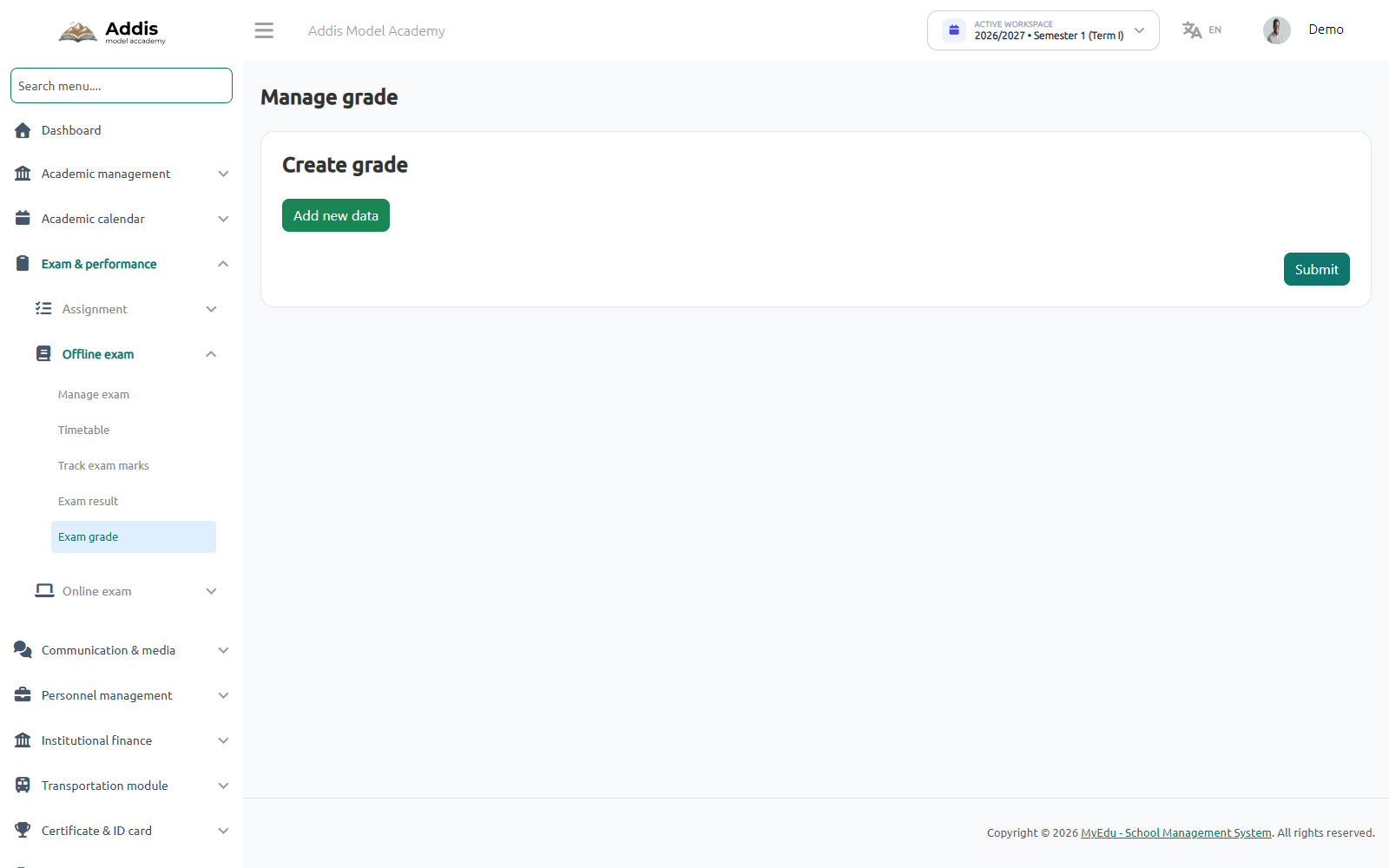
Navigate to Exam & Performance → Exam Grade to configure score brackets, letter grades, GPA weights, and official remarks.
| Grade | Percentage Range | GPA Value | Status / Remark |
|---|---|---|---|
| A+ | 90% – 100% | 4.00 | Excellent / ልዩ ውጤት |
| A | 85% – 89.99% | 4.00 | Very Good / በጣም ጥሩ |
| B | 75% – 84.99% | 3.00 | Good / ጥሩ |
| C | 60% – 74.99% | 2.00 | Satisfactory / አጥጋቢ |
| D | 50% – 59.99% | 1.00 | Passing / በቂ |
| F | 0% – 49.99% | 0.00 | Failing / የወደቀ |
Grade Levels, Sections, Streams & Subject Curriculums
Structure your academic departments from Kindergarten to Grade 12. MyEdu fully supports multiple mediums of instruction (English, Amharic, Afaan Oromo) and stream differentiation for Grades 11–12 (Natural Science vs. Social Science).
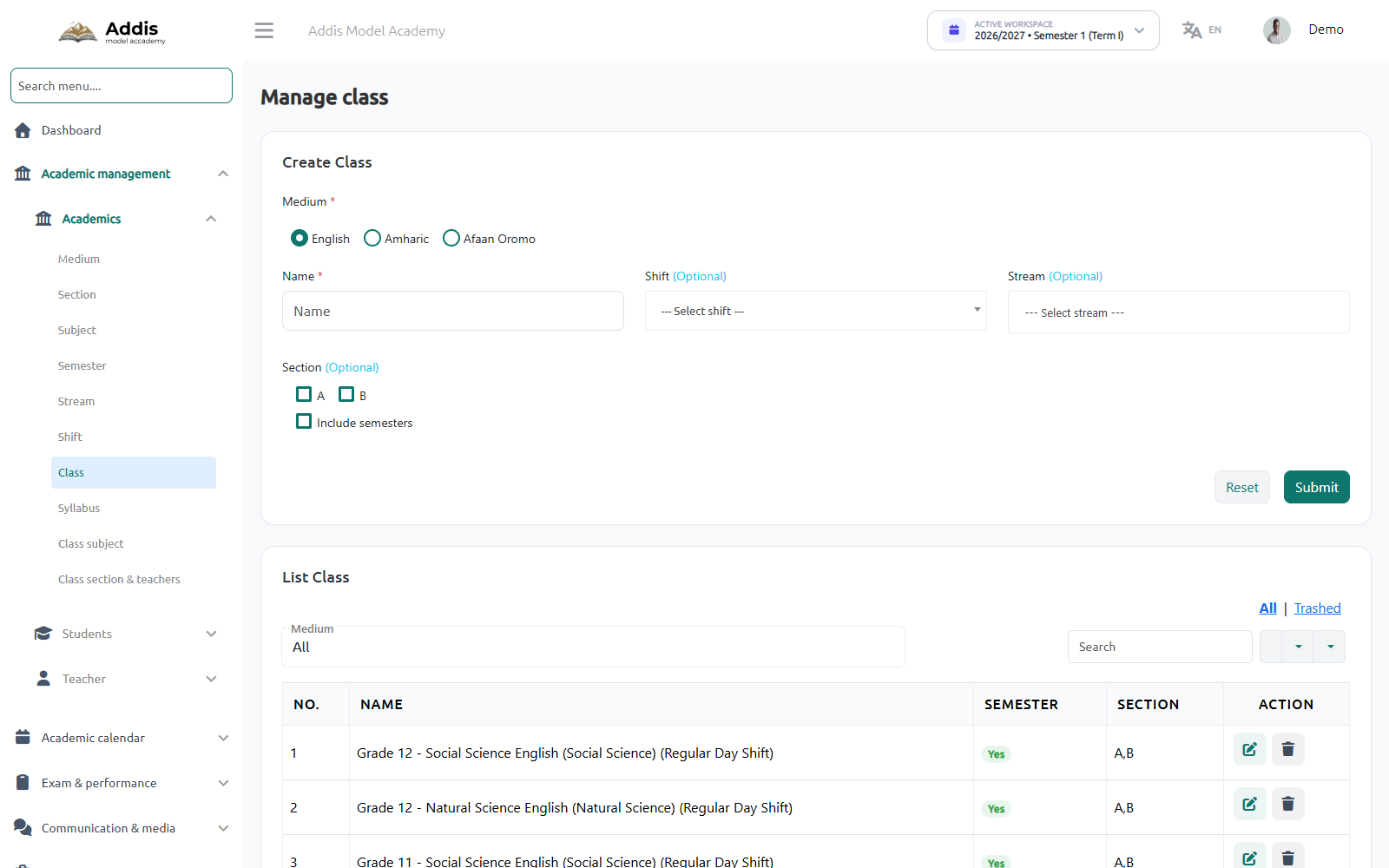
Setting Up Classes, Sections & High School Streams
Navigate to Academic Management → Academics → Class to establish class hierarchies, assign section capacities (e.g. Section A, Section B), and attach stream branches.
Faculty, Teachers & Staff Onboarding & Granular Permissions
Enroll academic teachers and operational staff members. Assign specific subject specializations, class teacherships, payroll salary structures, and granular system permission trees.
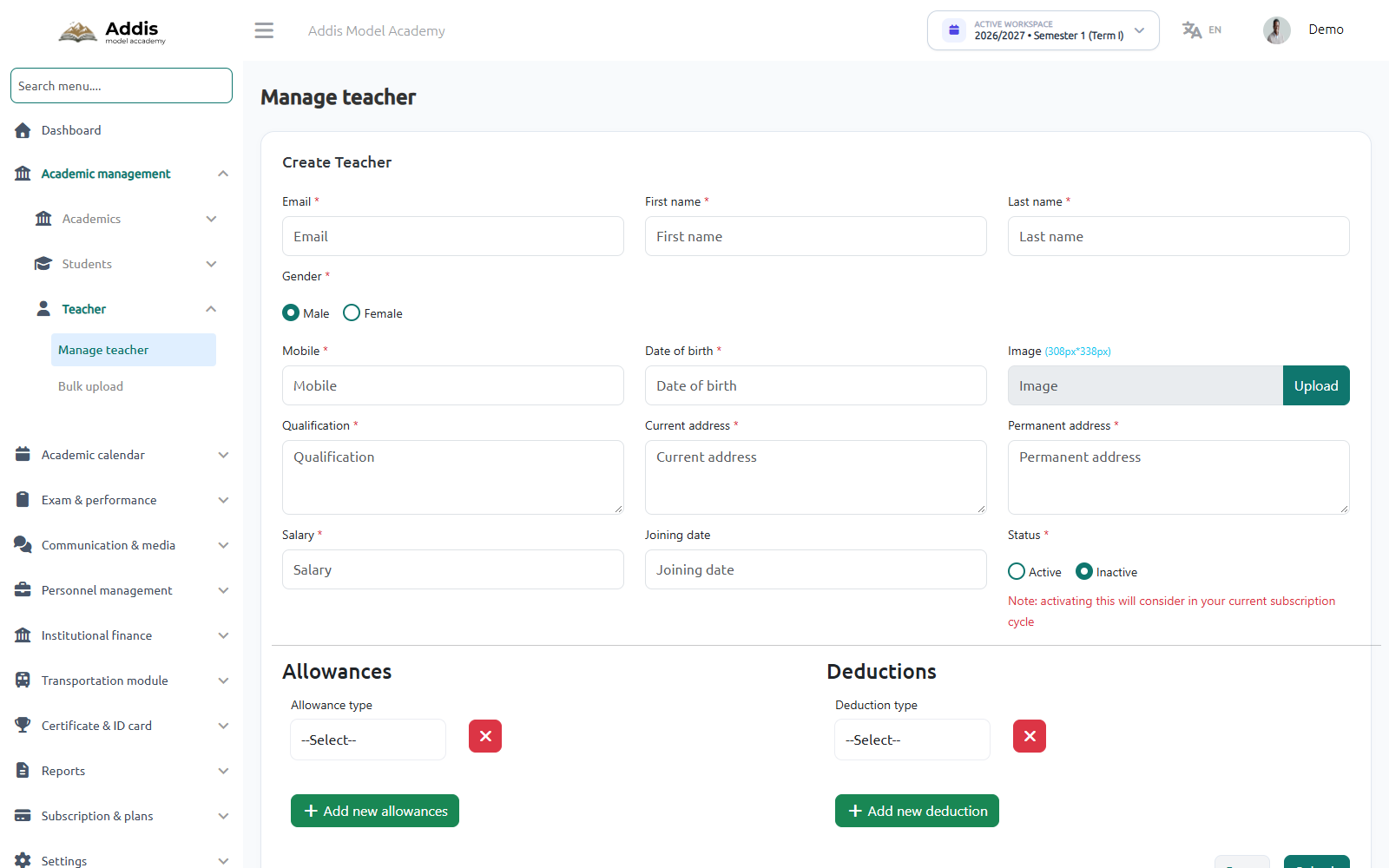
Registering Teachers & Assigning Departmental Duties
Navigate to Academic Management → Teacher → Manage Teacher to onboard faculty members manually or utilize the Excel Bulk Upload tool for whole-school staff enrollment.
Bulk Staff Import & Granular Role Permissions (RBAC)
In addition to individual faculty onboarding, schools can bulk-enroll teachers and non-teaching personnel using Excel import. Administrators then assign specific functional roles that govern data access across the platform:
School Admin
Full administrative authority over academics, faculty, sessions, and system configuration.
Subject & Class Teacher
Access to classroom roll call, lesson planning, homework upload, and continuous assessment grade entry.
School Accountant
Fee structure assignment, offline payment collection, issuing receipts, and recording institutional expenses.
Librarian & Front Desk
Managing student book circulation, visitor logs, and prospective student admissions inquiries.
Zero-Conflict AI Timetable Generator & Scheduling Engine
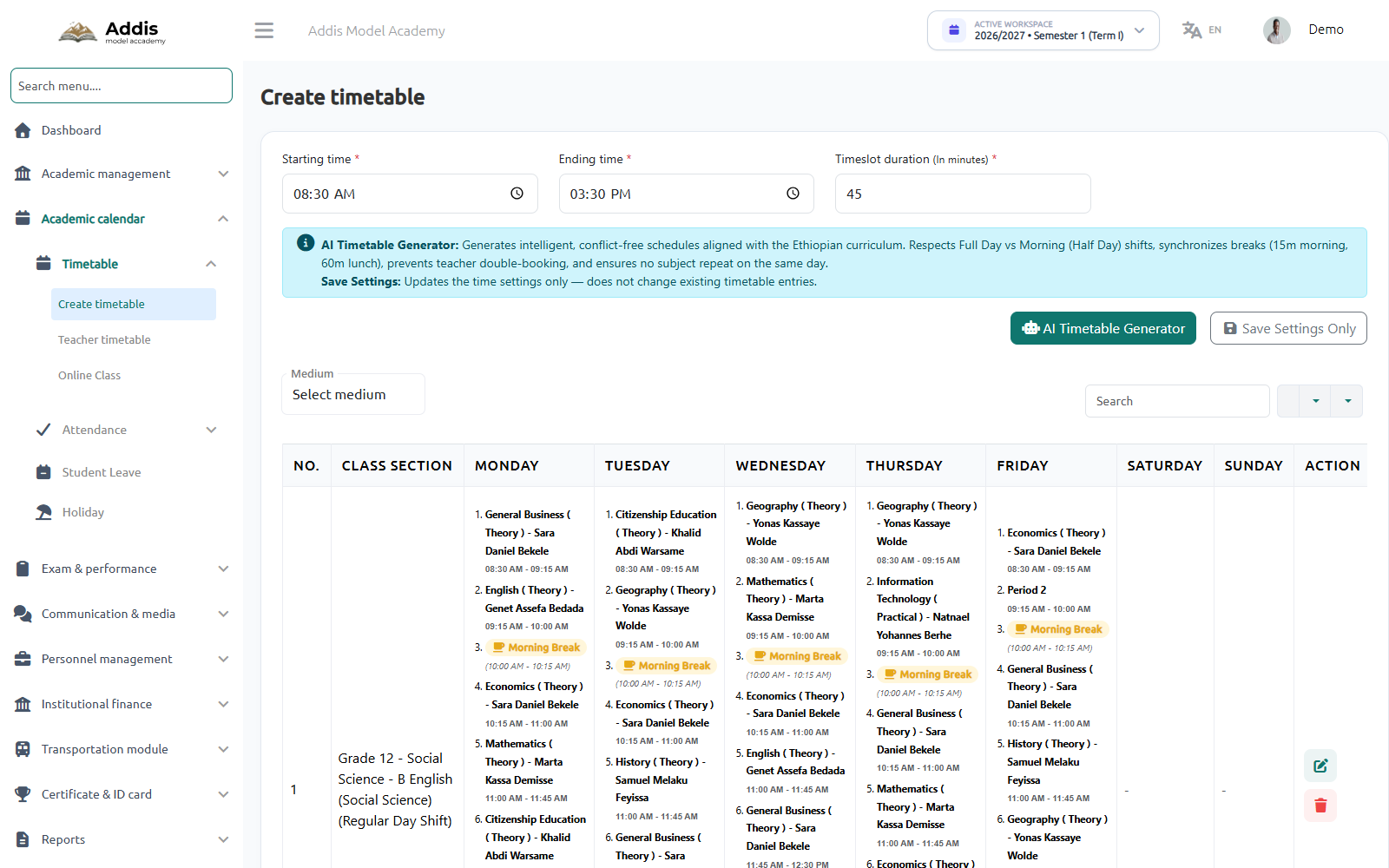
Generate mathematically optimized, conflict-free school schedules in seconds. The AI generator balances teacher loads, enforces Ethiopian curriculum weekly period counts, synchronizes tea and lunch breaks, and guarantees no teacher has overlapping assignments.
Configuring Time Parameters & Running AI Generation
Navigate to Academic Calendar → Timetable → Create Timetable to establish daily period blocks and trigger the AI generation algorithm:
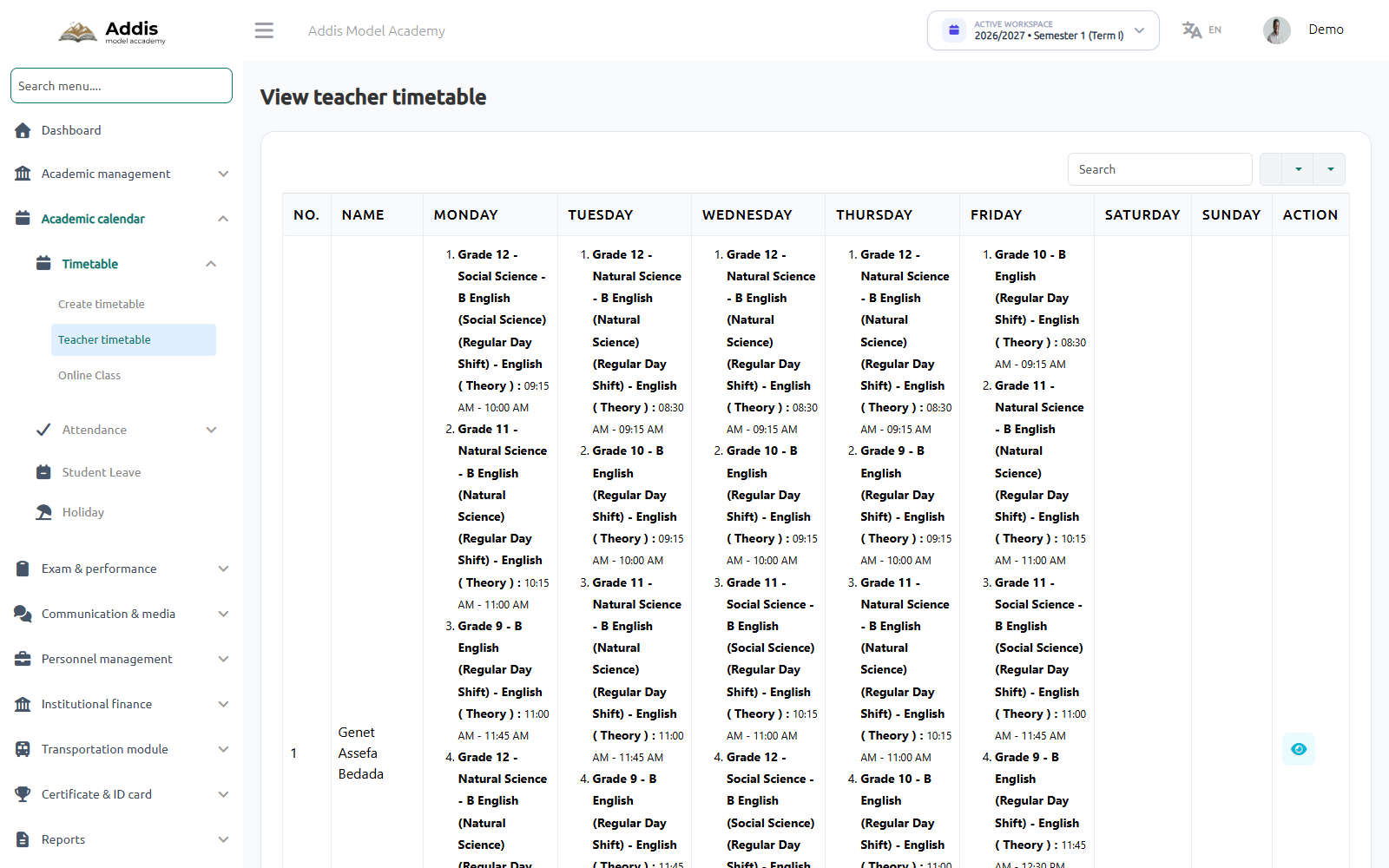
Verifying Faculty Workloads & Weekly Schedule Grid
Navigate to Academic Calendar → Timetable → Teacher Timetable to inspect individual teacher workloads. Every teacher has a personalized weekly view without overlapping periods across any grade.
Student Admissions, Parent Linking & Roll Numbers
Admit students through online registration or front-desk intake. Link parent profiles with multi-child capabilities, auto-generate sequential roll numbers, and print official application vouchers.
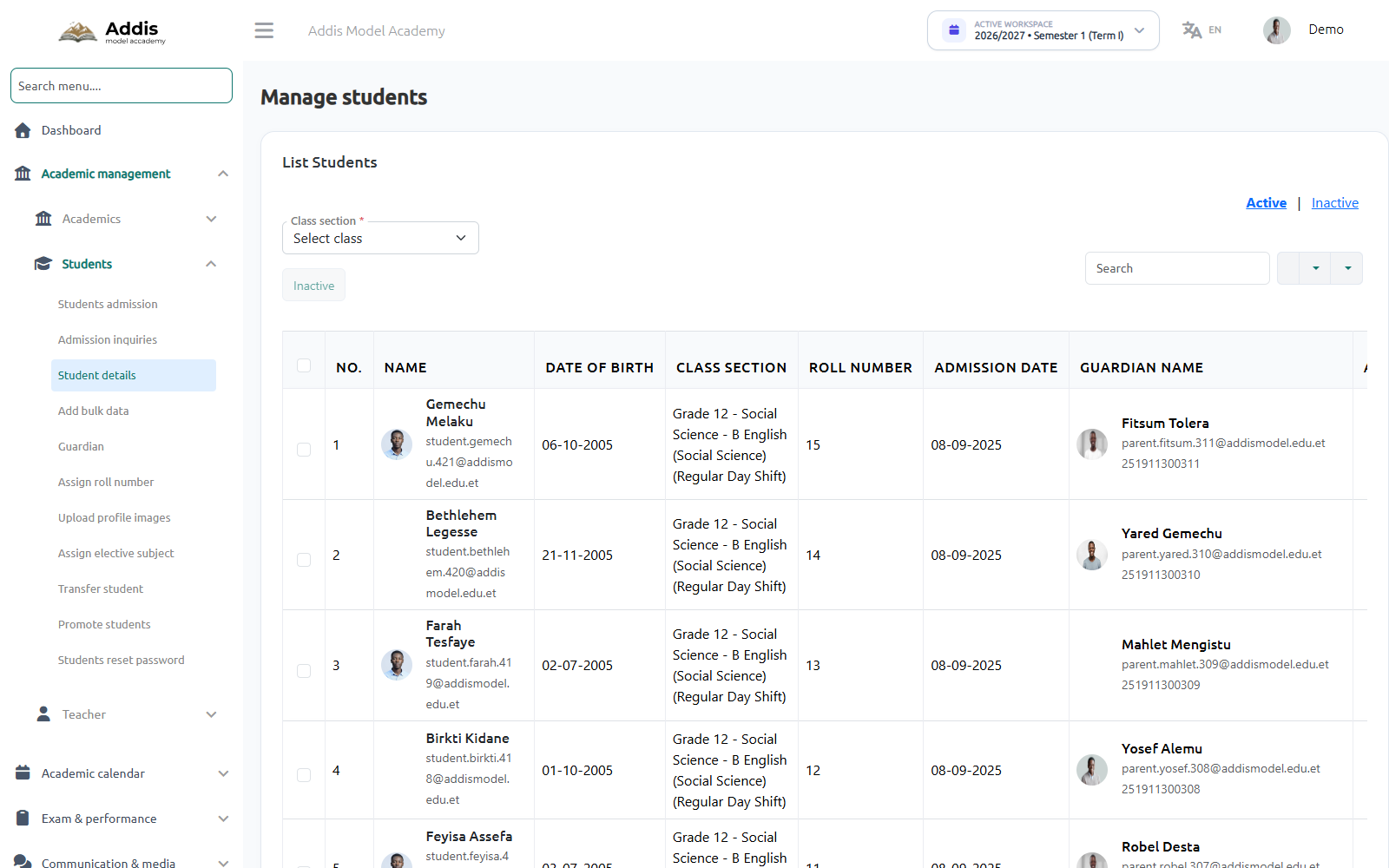
Managing Enrolled Students & Roll Number Allocation
Navigate to Academic Management → Students → Student Details to manage student profiles, filter by class/section, and inspect roll number allocations.
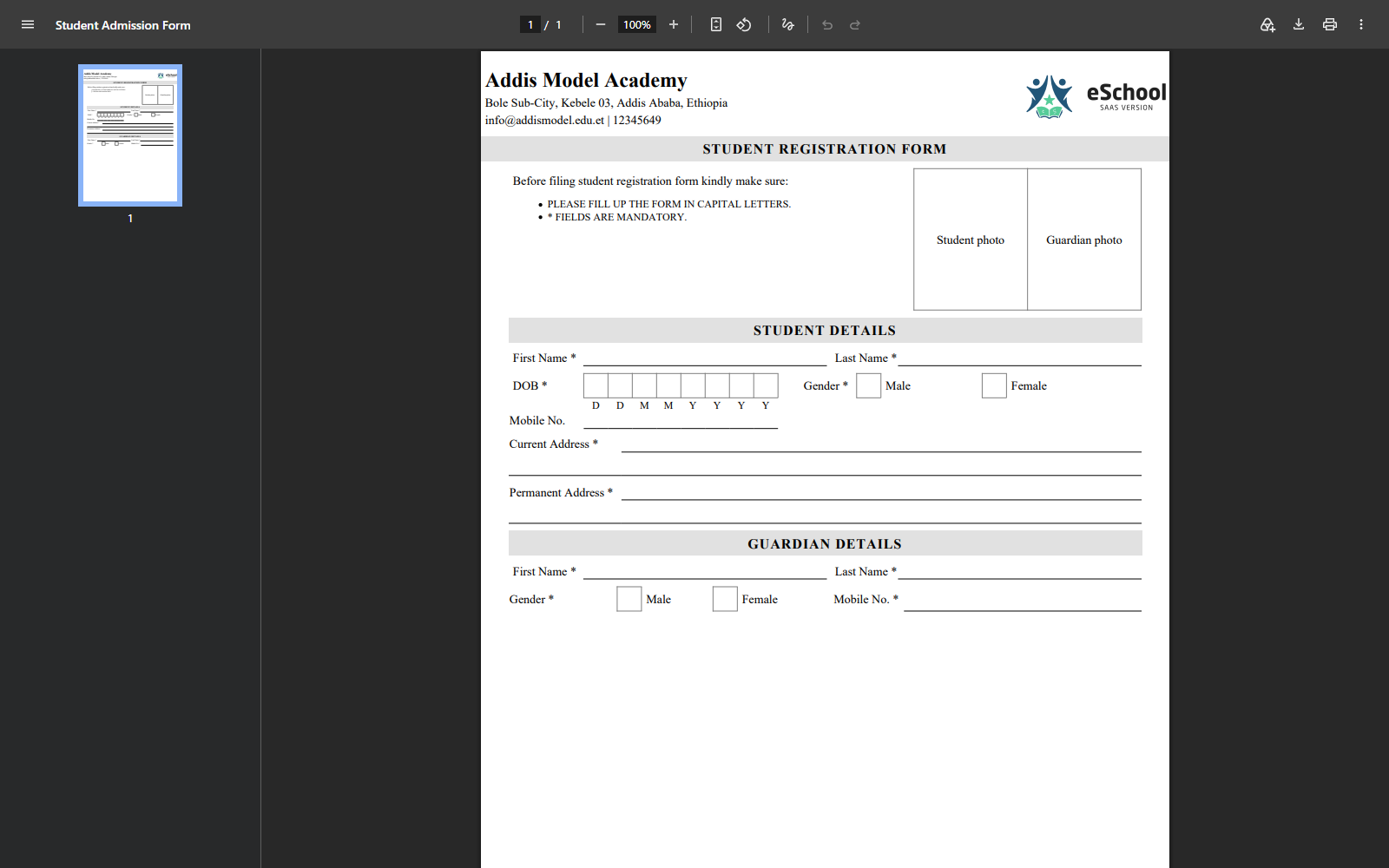
Official Printable Student Registration Application Form
MyEdu generates official printable admission vouchers complete with the institutional header, photo placeholders, student demographics, and parent/guardian verification blocks.
Bulk Student & Staff Import via CSV / Excel
For beginning-of-year enrollments or migrating from legacy desktop software, MyEdu provides an enterprise CSV/Excel bulk import engine. School registrars can onboard hundreds of students in a single file upload.
| Column Header | Required | Accepted Format & Validation Rules |
|---|---|---|
| first_name, last_name | Required | Student legal name (supports Latin & Ethiopic Ge'ez characters). |
| gender | Required | male Or female (case-insensitive). |
| dob | Required | YYYY-MM-DD Or DD-MM-YYYY (e.g. 15-04-2010). |
| roll_number | Unique | Unique class identifier. If duplicate is detected, row is flagged in error log. |
| guardian_mobile | Required | Standard Ethiopian mobile format: 0911234567 Or +251911234567. |
| class_section_id | Required | Mapped class & section ID (e.g. Grade 11-A). |
End-of-Session Student Promotion & Academic Rollover
At the conclusion of each academic year, registrars execute the Student Promotion workflow. The system evaluates annual cumulative marks, allowing administrators to bulk-advance passing students or retain students needing remediation.
Advances student to next grade level (e.g. Grade 9 → Grade 10) in the upcoming 2026/2027 session.
Keeps student enrolled in the same grade for additional academic support.
For Grade 10 graduates, prompts registrar to assign stream: Natural Science or Social Science.
Archives Grade 12 students as alumni and unlocks Leaving Certificate generation.
Fee Structures, Installments & Telebirr/CBE Collection
Automate billing across tuition, registration, and optional bus transport in Ethiopian Birr. Collect payments seamlessly via Telebirr and Commercial Bank of Ethiopia (CBE) with auto-receipt vouchers.
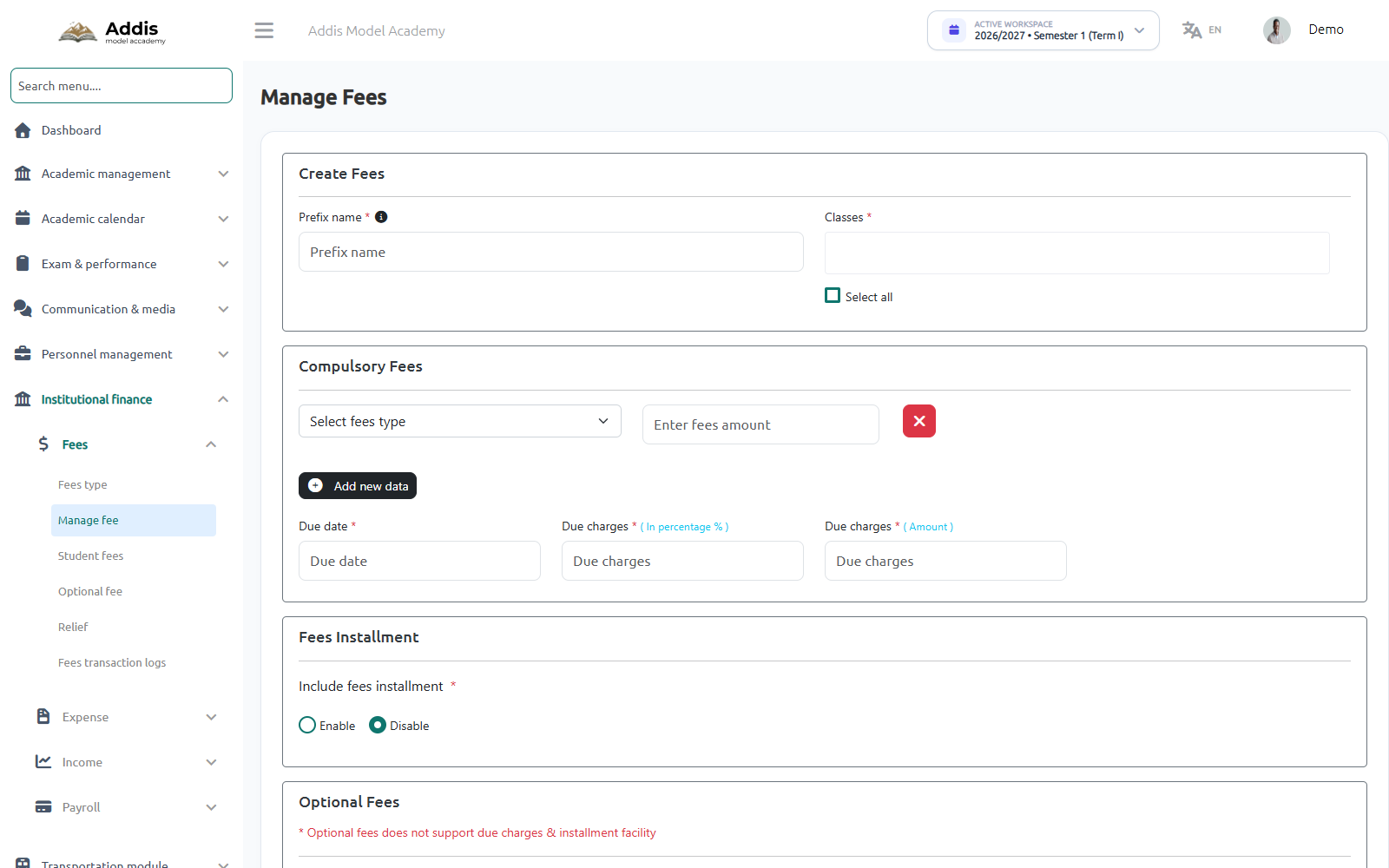
Configuring Fee Categories & Installment Due Dates
Navigate to Institutional Finance → Fees → Manage Fee to define compulsory tuition fees, optional transportation packages, installment dates, and late payment penalties.
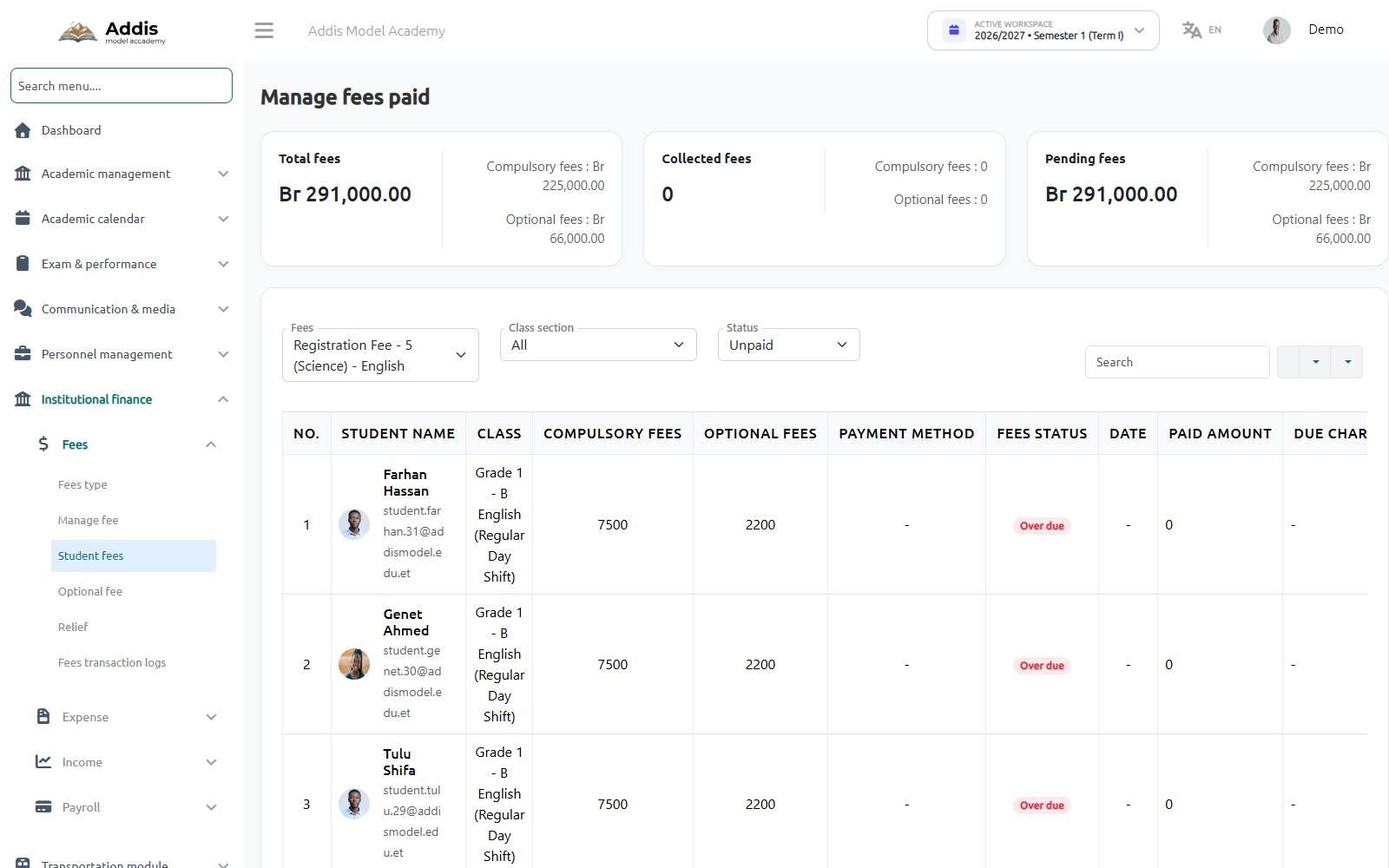
Tracking Collections, Receipts & Overdue Fees
Navigate to Institutional Finance → Fees → Student Fees to track real-time collection metrics (Total fees: Br 291,000.00), overdue student accounts, and print digital receipts.
Daily Classroom Attendance & Instant Guardian SMS Alerts
Record morning roll call in under 60 seconds from any smartphone or tablet. The system instantly dispatches automated SMS alerts to parents when a child is marked absent or tardy.
Recording Student Attendance & Triggering Guardian Alerts
Navigate to Academic Calendar → Attendance to record daily attendance:
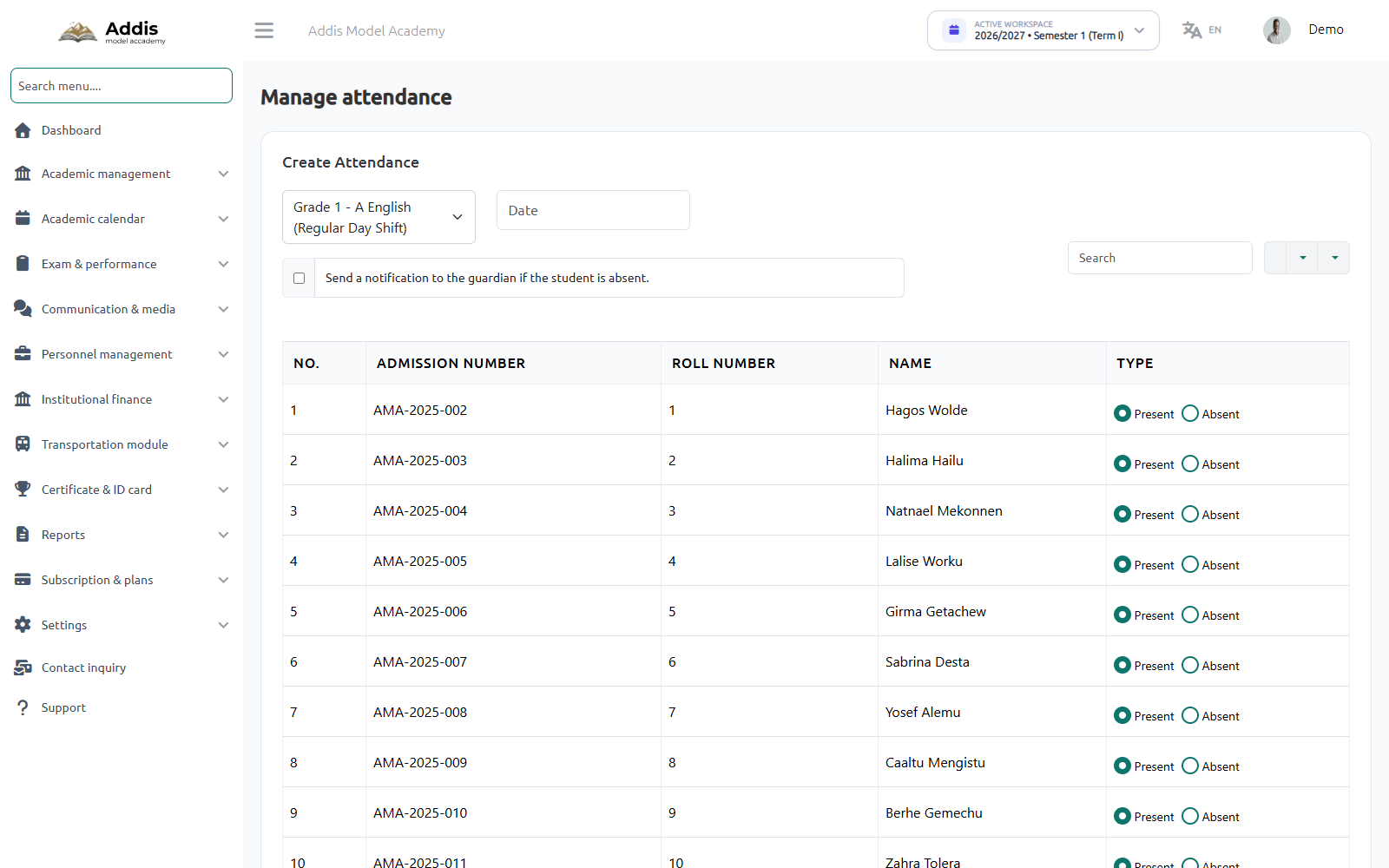
"Dear Parent, your child Bethlehem Legesse was marked absent from Addis Model Academy today at 08:45 AM. If unexpected, please contact the school administration."
Examinations, Continuous Assessment & Ethiopian Report Cards
Manage midterms and semester finals based on the Ethiopian continuous assessment framework (20% Tests + 10% Homework + 20% Mid-Term + 50% Final Exam). Compute student ranks, generate teacher remarks, and export printable official report cards.
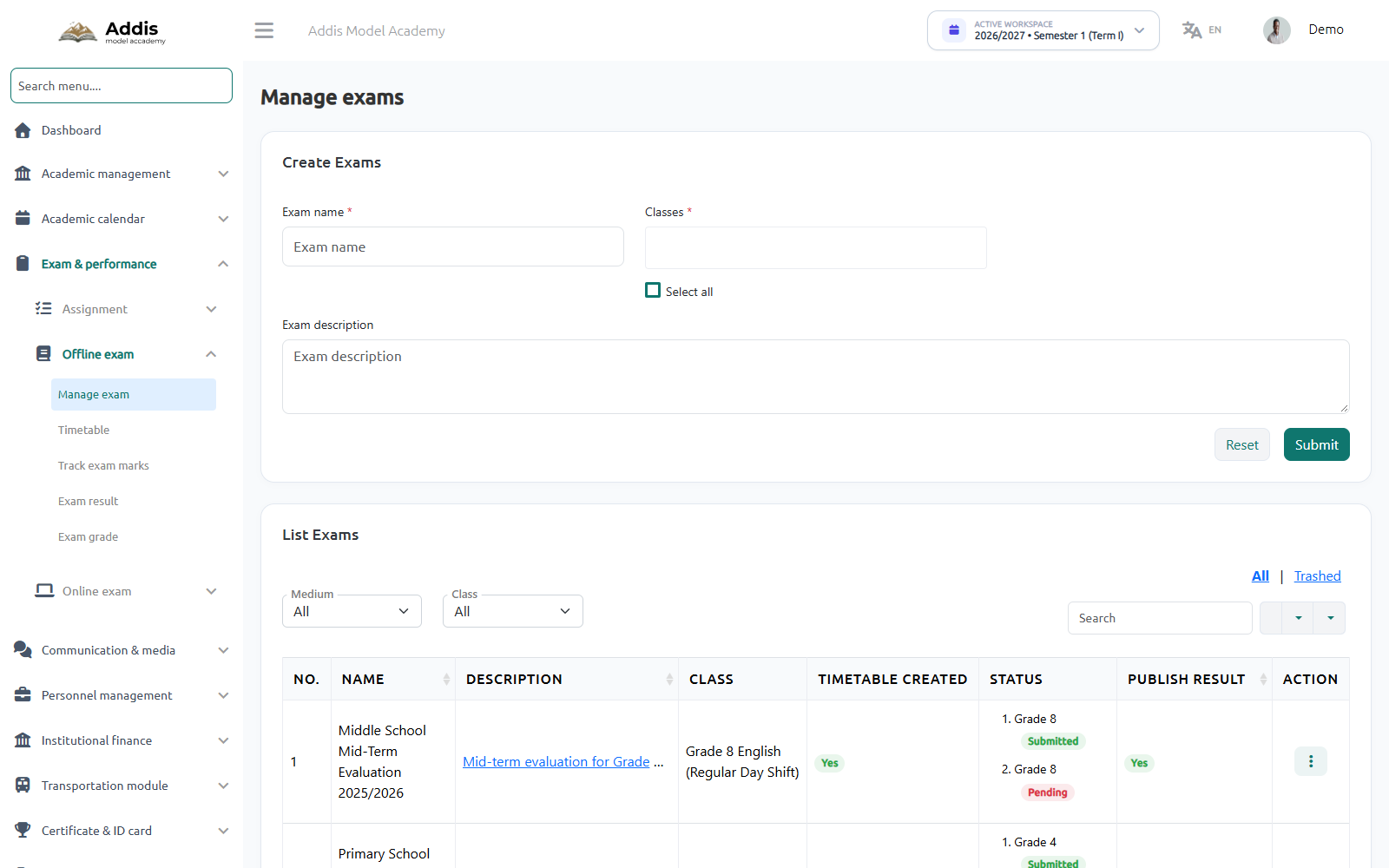
Creating Examinations & Setting Timetables
Navigate to Exam & Performance → Offline Exam → Manage Exam to establish exam schedules, attach grade levels, and publish results to the parent app.
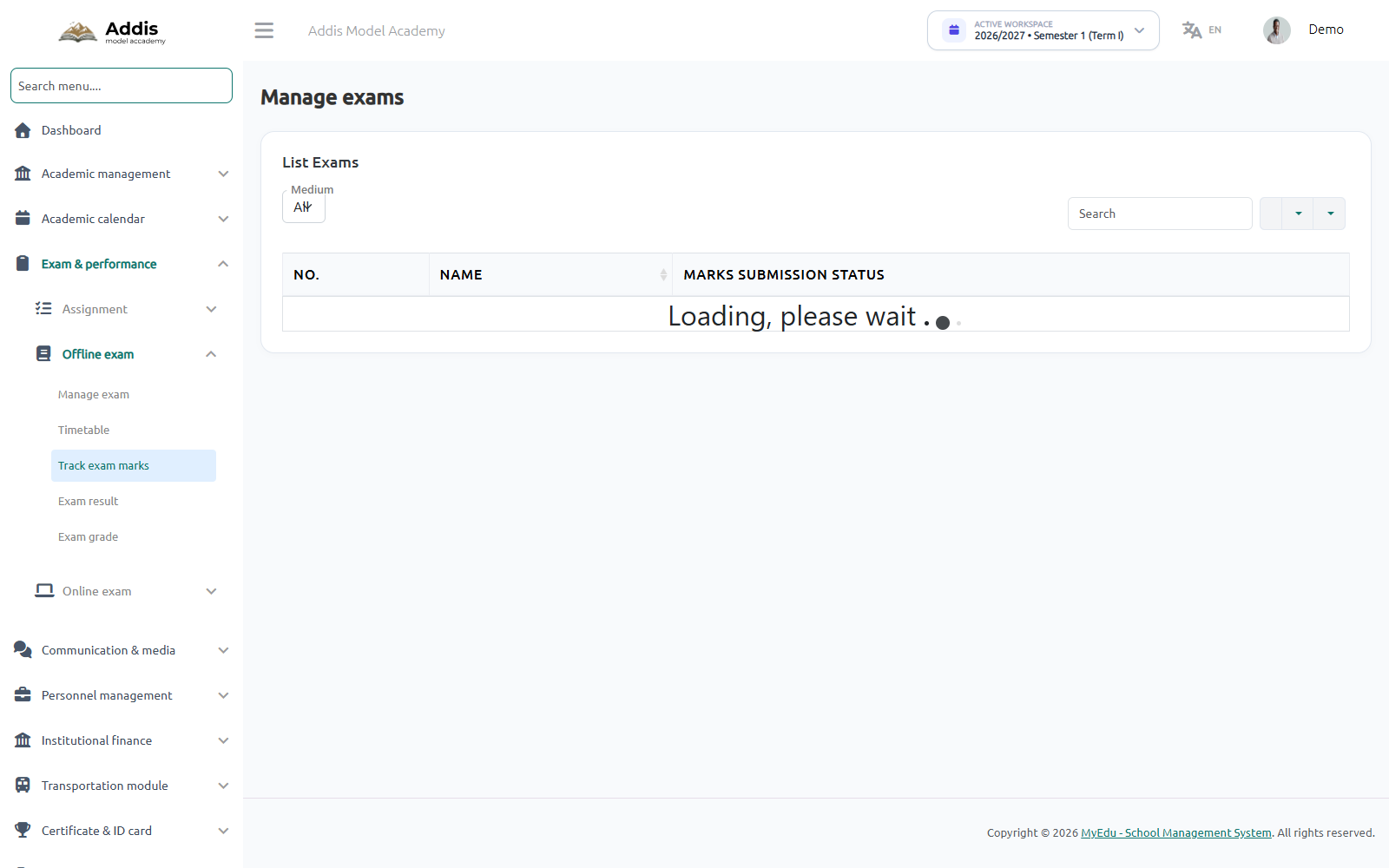
Tracking Marks Entry & Report Card Generation
Navigate to Exam & Performance → Track Exam Marks to monitor faculty marks submission progress across all grades before exporting official report cards.
PVC ID Card Generation & Official School Certificates
Print high-quality student PVC cards and staff ID badges with QR security verification. Issue school leaving transfer certificates and conduct records bearing the official circular stamp and signature.
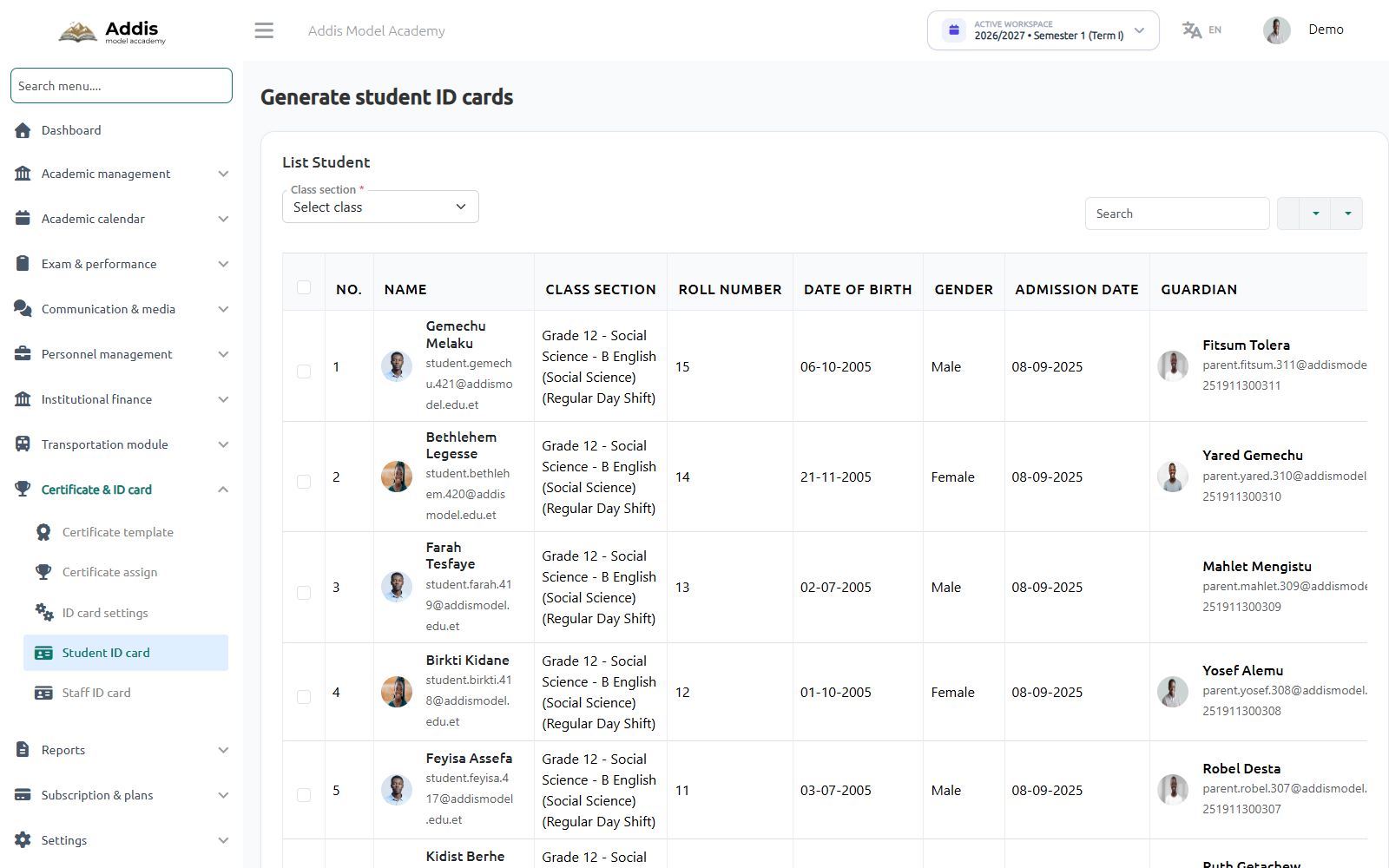
Generating Student & Staff PVC ID Cards
Navigate to Certificate & ID Card → Student ID Card to bulk-select classes and generate printable PVC cards containing student portraits, roll numbers, and scannable QR verification.
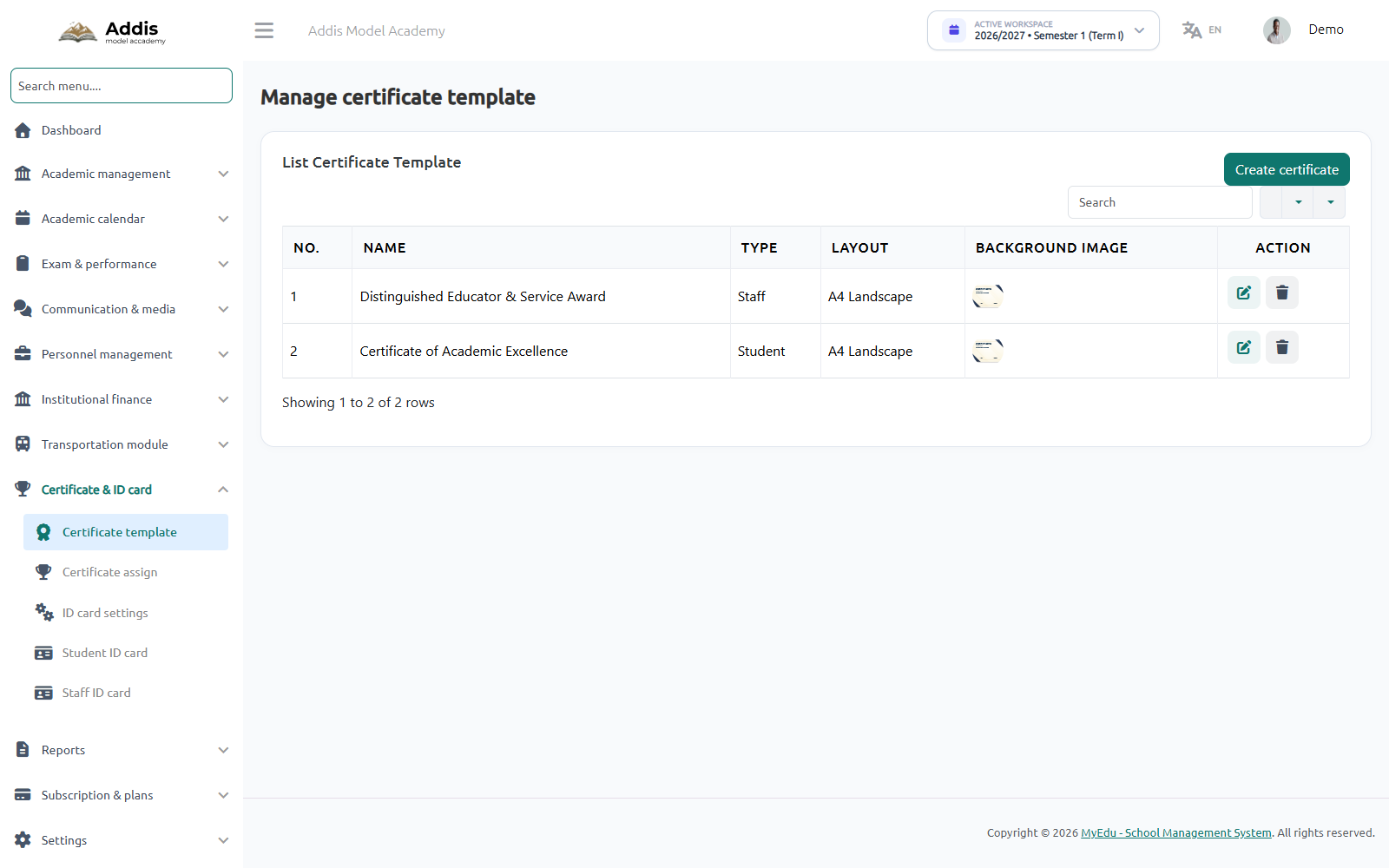
Issuing Transfer & Achievement Certificates
Navigate to Certificate & ID Card → Certificate Template to issue official school leaving and excellence awards in A4 landscape format.
Subscription Packages, Plans, Addons & Billing Management
School administrators can monitor their institutional subscription tier, manage student and staff capacity quotas, renew or upgrade service plans, purchase modular add-ons, and download official serialized tax invoices.
Monitoring Active Subscription & Resource Quotas
Navigate to Settings → Subscriptions to inspect your school’s current plan tier, license start and expiry dates, and real-time usage quotas across student and faculty seats.
Modular Add-ons & Expiry Synchronization
MyEdu enables schools to activate optional modules on demand to meet specific institutional requirements. When purchased, add-on components automatically harmonize their expiration date with your active parent package:
AI Timetable Engine
Automated multi-constraint schedule optimization solving complex faculty conflicts.
Online Exam Portal
Digital question bank, computer-based timed testing, and automated grading.
Biometric Attendance
Hardware integration with RFID smart badges and fingerprint gate turnstiles.
SMS Gateway Gateway
Bulk Ethio Telecom SMS gateway routing absence alerts and grade broadcasts.
Offline Bank Deposit Approvals & Telebirr/CBE Payments
Schools can pay for subscription renewals using instant mobile money (Telebirr, CBE Birr) or upload a scanned bank deposit slip from Commercial Bank of Ethiopia (CBE), Awash Bank, or Bank of Abyssinia for prompt verification.
Trash Repository & Safe Data Recovery System
To protect educational institutions against human error or accidental data deletion, MyEdu implements a comprehensive soft-deletion safety architecture. Deleting a student, teacher, class, section, subject, shift, fee, or exam never immediately purges records from the underlying database.
How Soft-Deletion & 1-Click Restoration Works
When an administrator removes an academic entity, the record is placed in a quarantined Trash state. Historical marks, fee receipts, and relational dependencies remain intact and can be restored in seconds:
| Entity Type | Protected Relational Links | Restoration Action |
|---|---|---|
| Students | Preserves all previous exam marks, attendance logs, and fee payment receipts. | 1-Click Restore |
| Teachers | Preserves teacher attendance history, past timetable slots, and submitted exam marks. | 1-Click Restore |
| Classes & Sections | Preserves class subject allocations and historical student cohort rosters. | 1-Click Restore |
| Subjects & Streams | Preserves curriculum mapping and past examination question paper linkage. | 1-Click Restore |
How Teachers Use MyEdu (Web Portal & Smartphone)
Teachers enjoy a tailored, distraction-free interface optimized for both mobile phones and laptops. They can record attendance, check their teaching schedule, upload homework, and submit quarterly exam marks.
Personalized Teacher Daily Dashboard
When a teacher logs in (e.g. teacher.abebe@addismodel.edu.et), the system displays their personalized "Today Schedule", quick roll call links, and pending assignment submissions.
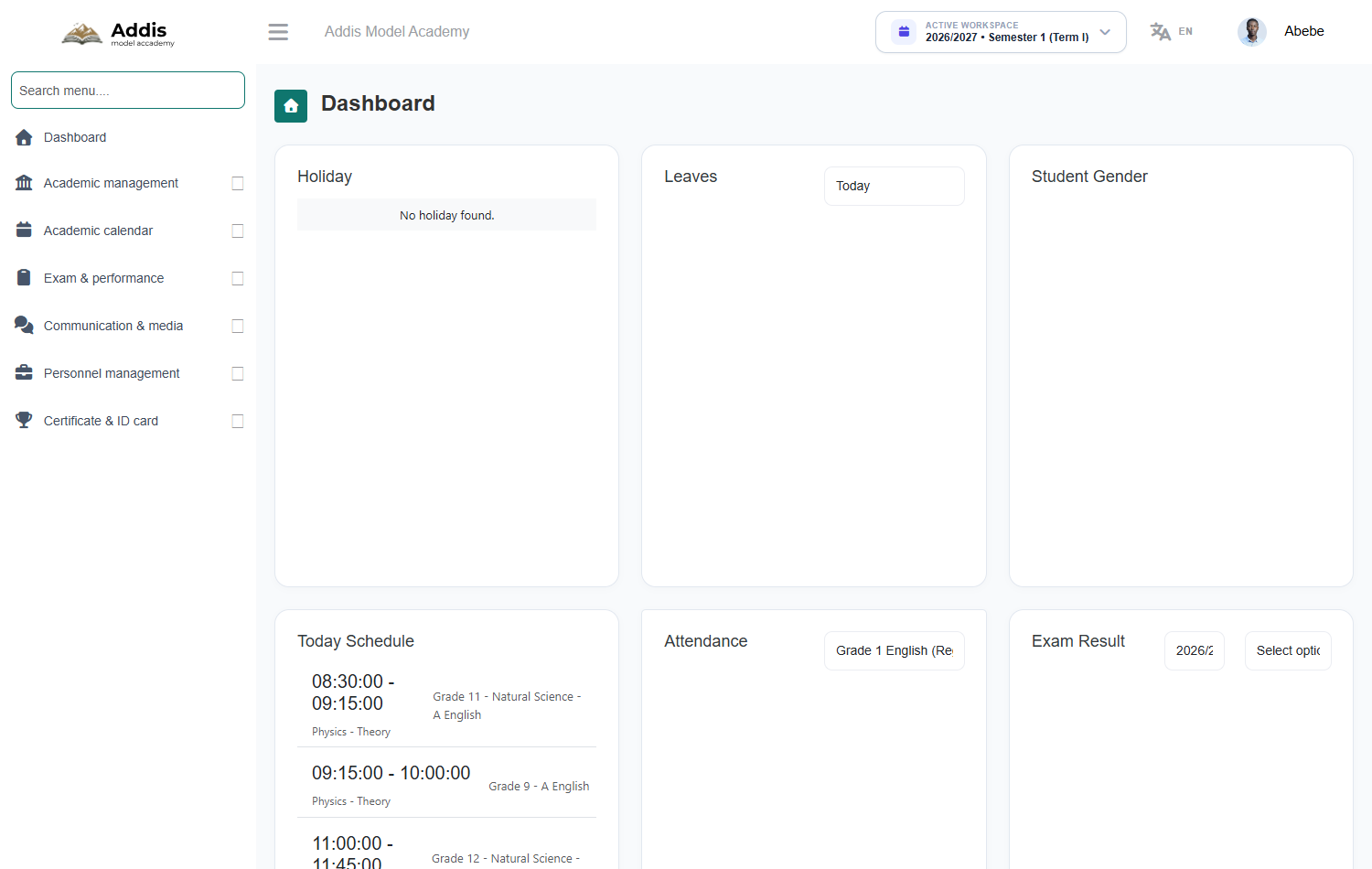
Viewing Assigned Weekly Teaching Periods
Teachers can review their complete weekly period breakdown directly from their portal or mobile application, ensuring they never miss a class or laboratory session.
How Students Use MyEdu (Portal & Mobile Experience)
Students can access their academic materials, weekly class timetables, teacher lecture slides, homework assignments, and official report cards from any web browser or smartphone.
Student Credentials & Dedicated Student Portal
Each admitted student receives a dedicated academic profile (e.g. student.gemechu.421@addismodel.edu.et with Roll Number 15). Students authenticate using their credentials to view class timetables and educational resources.
Digital Student ID & Academic Resources
Students have continuous access to their verified digital student identity card on their smartphone, complete with QR code for school library borrowing and campus security checks.
How Parents Use MyEdu (Parent App & Multi-Child Portal)
The MyEdu Parent Mobile Application bridges home and school, providing Ethiopian guardians with real-time attendance alerts, continuous grade monitoring, and 1-tap tuition fee payment via Telebirr and CBE.
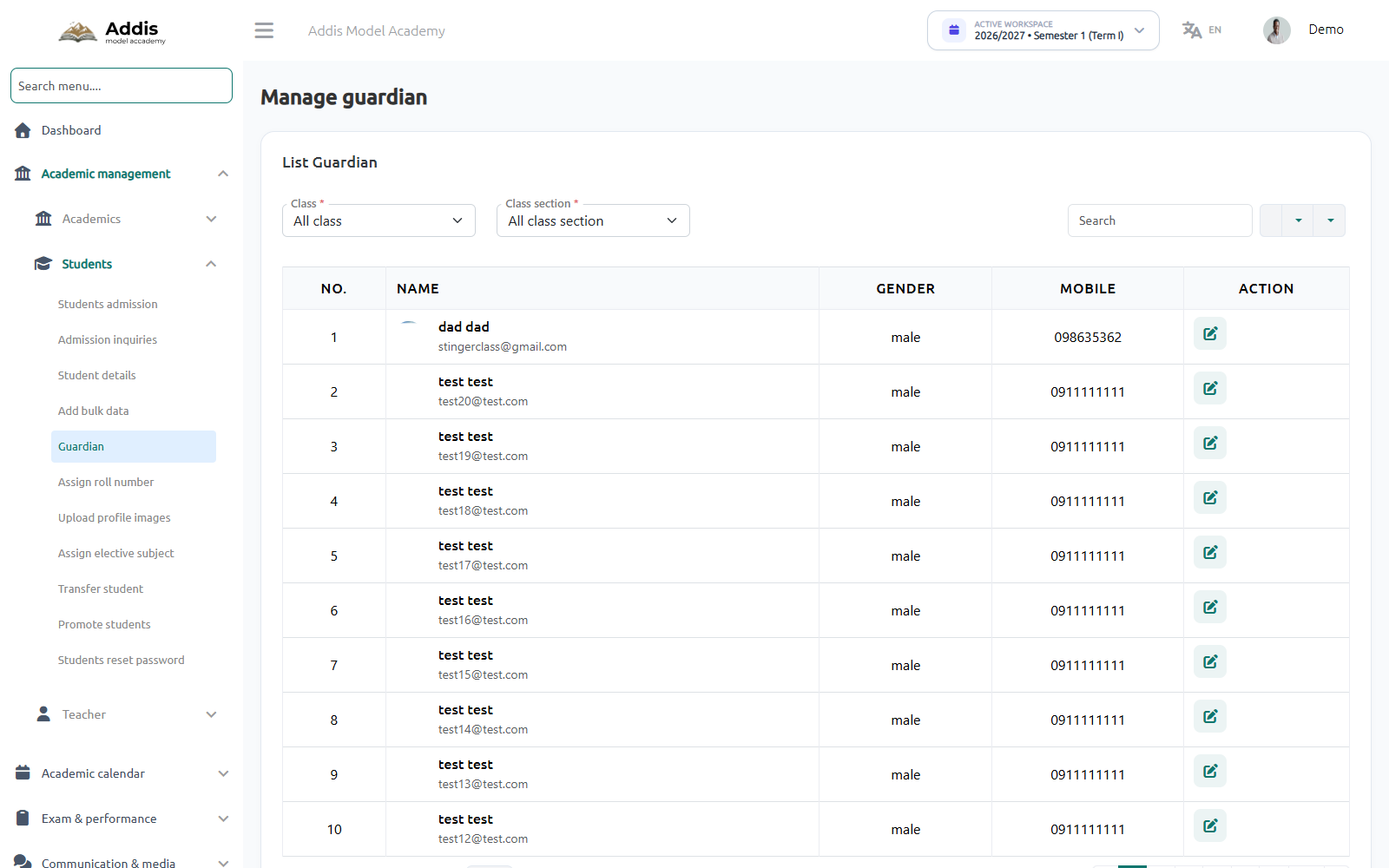
Guardian Profiles & Multi-Child Linking
Parents have a single master account linking all their children enrolled across different grades. Guardians can switch between children in 1 tap without logging out.
Paying School Tuition via Telebirr & CBE in Seconds
Parents no longer need to wait in bank queues. From the mobile app, guardians view outstanding tuition installments and pay instantly via Telebirr or CBE Birr with instant SMS confirmation.
Accountant, Staff & Public School Website Guide
Empower your administrative and bursar office with automated cash reconciliation, expense vouchers, school bus route coordination, and public school website management.
Cash Reconciliation & Bank Slip Validation
Accountants reconcile bank deposit slips, verify counter cash receipts, track expense vouchers by department (stationery, laboratory, fuel), and export audit-ready financial statements.
Managing the Public School Portal & Online Admissions
MyEdu provides each school with a built-in public website at their dedicated domain (e.g. addismodel.edu.et). Staff can update homepage banners, publish school news, and review prospective student online admission applications.